
Add AWS to Cloudshot and Supercharge Your Cloud
Connect your AWS infrastructure to Cloudshot for comprehensive visualization and management. Easily import your AWS resources, analyze costs, and optimize your cloud architecture with just a few clicks.
- Watch our step-by-step guide for how to add AWS Account in Cloudshot:
Steps:
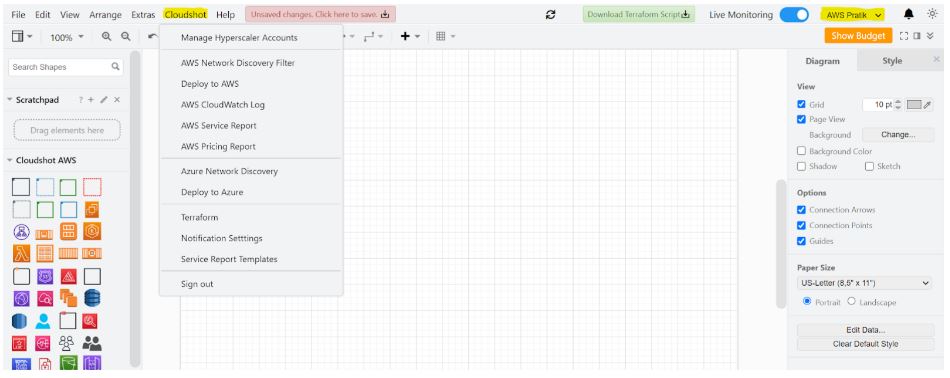
1. In 'Cloudshot' Menu Click on 'Manage Hyperscalar Account'.
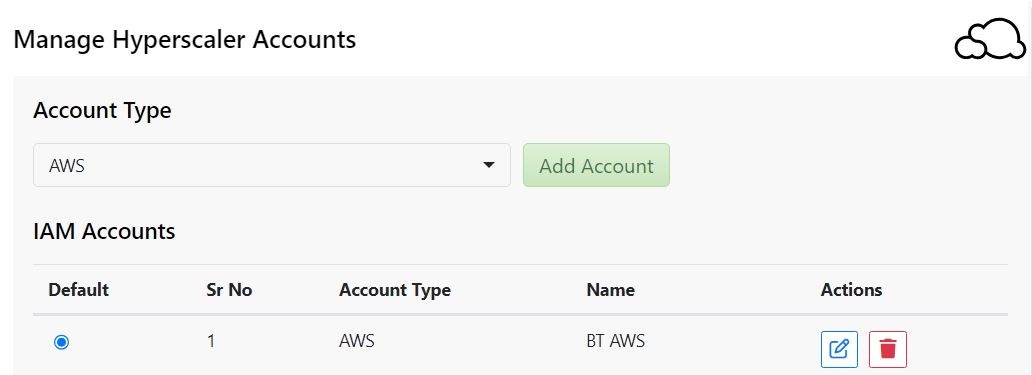
2. In the 'Account Type' dropdown, select 'AWS'.
3. Click the 'Add Account' button.
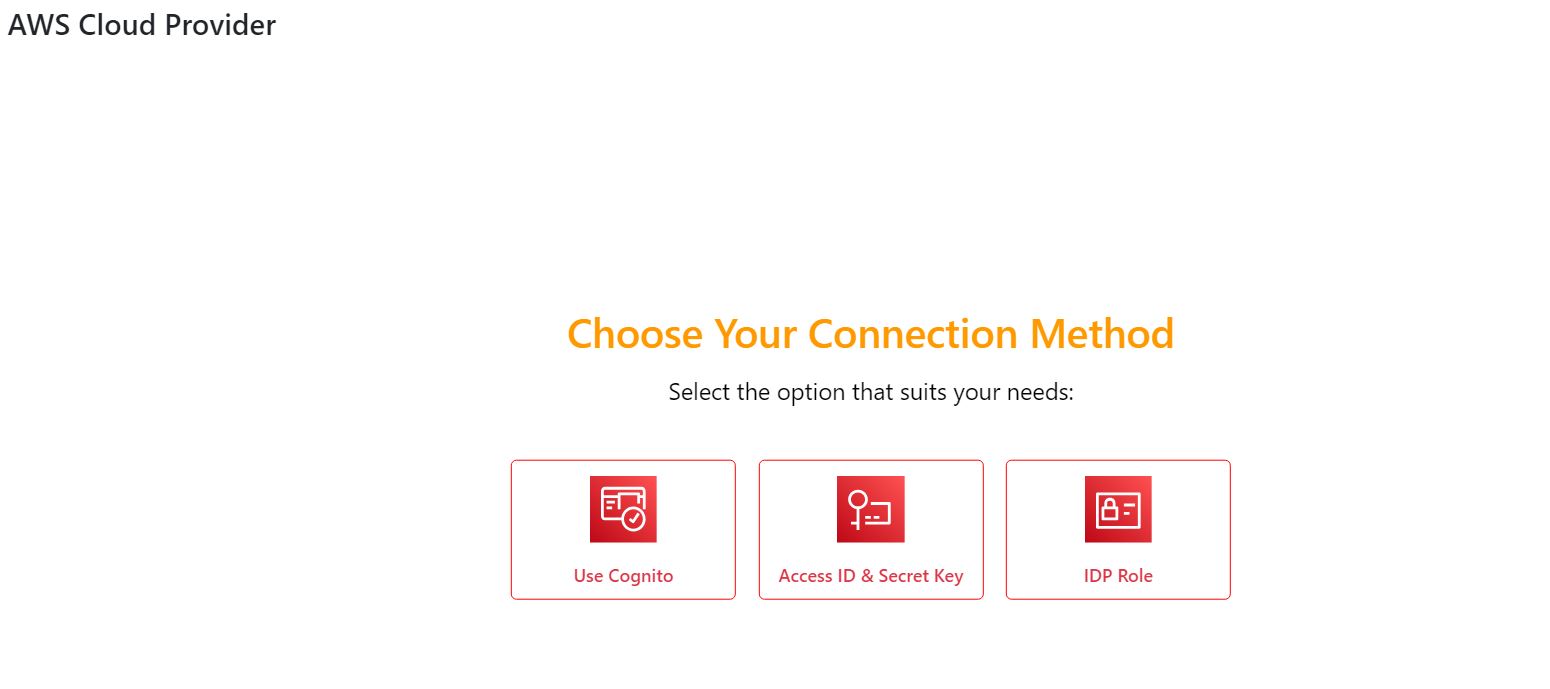
- Use Cognito
- Access ID & Secret Key
- IDP Role
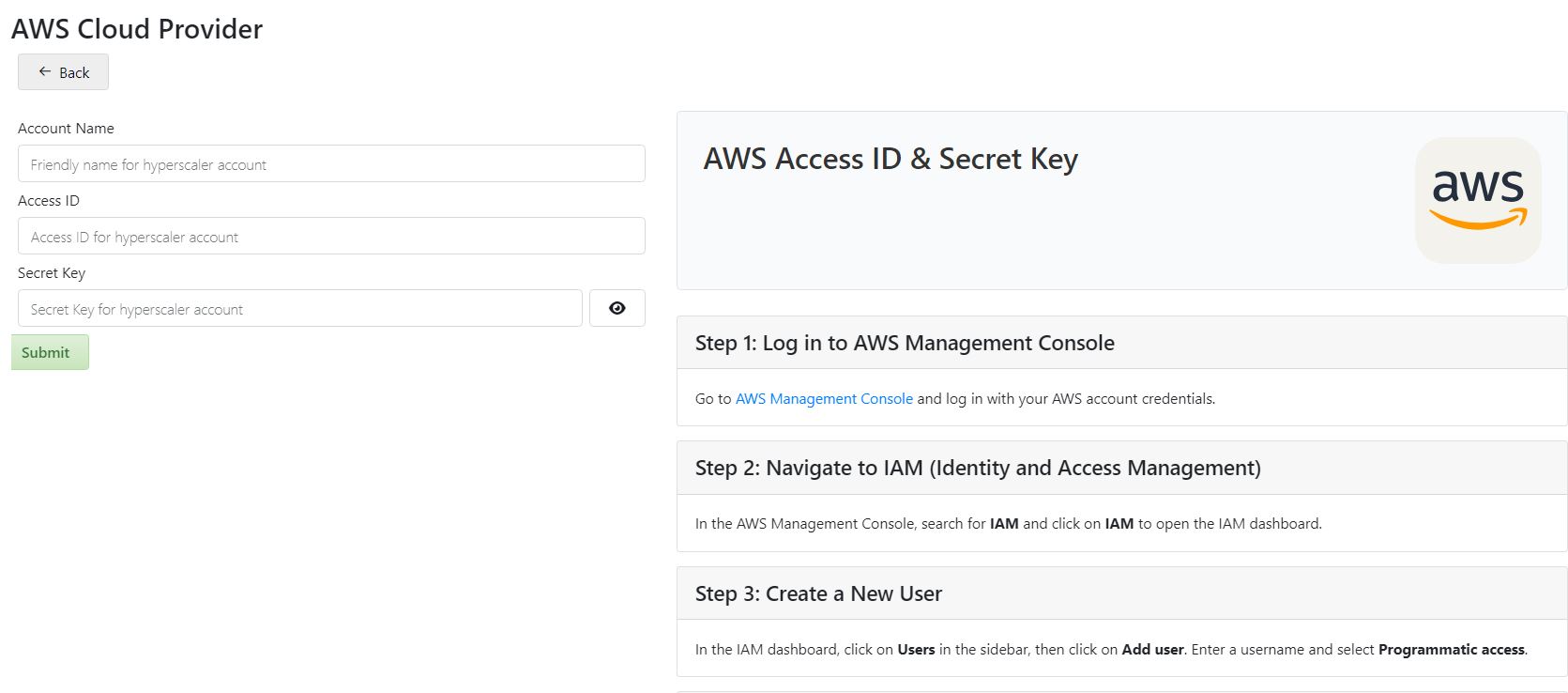
5. If you choose the 'Access ID & Secret Key' method following screen will be appear:
- Fill out the form on the left side:
- Enter a friendly name for your hyperscaler account in the 'Account Name' field
- Input the Access ID for your hyperscaler account
- Enter the Secret Key for your hyperscaler account
- If you don't have the Access ID and Secret Key, follow these steps on the right side.
- On the right side you'll find instructions on how to get Access ID and Secret Key from your cloud account.
7. Click on the 'Submit' button your AWS hyperscaler account will be added.
Seamlessly integrate your AWS account with Cloudshot and unlock the power of complete cloud management. From cost analysis to resource optimization, get a 360° view of your infrastructure in one platform.
Take Control Today:
Simplify your cloud resource management. Let Cloudshot guide your AWS integration journey, turning complex configurations into effortless visualizations and actionable insights.
. . .
Join Our Cloud Revolution! 🌐
Follow us for the latest in cloud visualization:
- 💼 LinkedIn: Cloudshot
- 📺 YouTube: @cloudshot-io
- 🚀 Website: cloudshot.io