
Design Smarter with Cloudshot’s Infrastructure Diagram Builder
Build Your Cloud Setup — Manually or via AI with Cloudshot
Cloudshot’s Infrastructure Diagram Builder makes it easy to design and visualize your cloud architecture—whether you prefer hands-on control or the speed of AI-generated diagrams. Build smarter, faster, and more efficiently.
- Watch our step-by-step guide to building cloud infrastructure diagrams in Cloudshot — the smart way:
Follow these simple steps to begin:
- Go to the main menu in Cloudshot.
- From the menu, choose Infrastructure Diagram Builder.
- Or simply click on the Infrastructure Diagram Builder icon from the Action Toolbar.
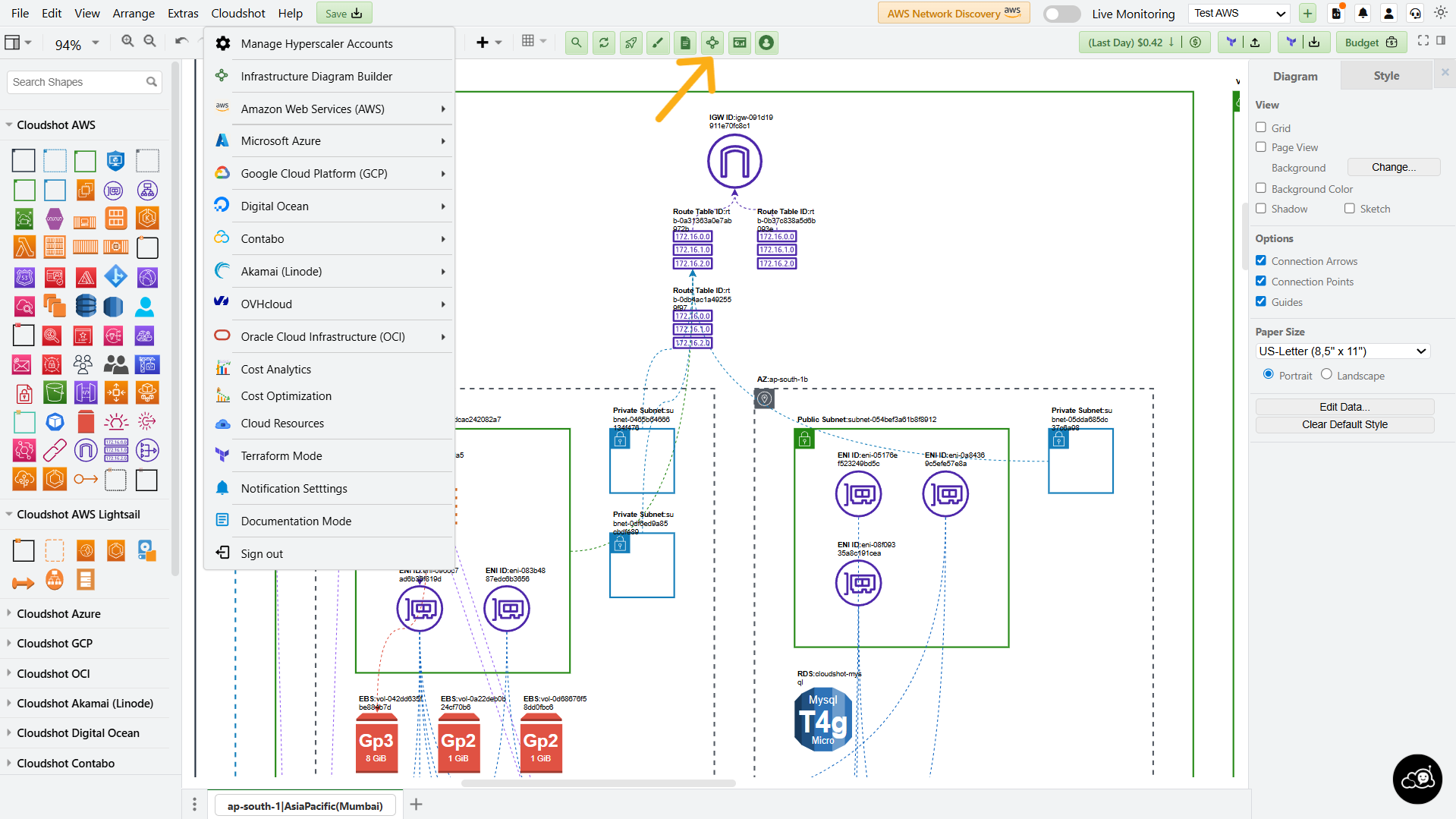
You can build diagrams in two powerful ways:
Manual Mode
Generate with AI (Prompt-Based)
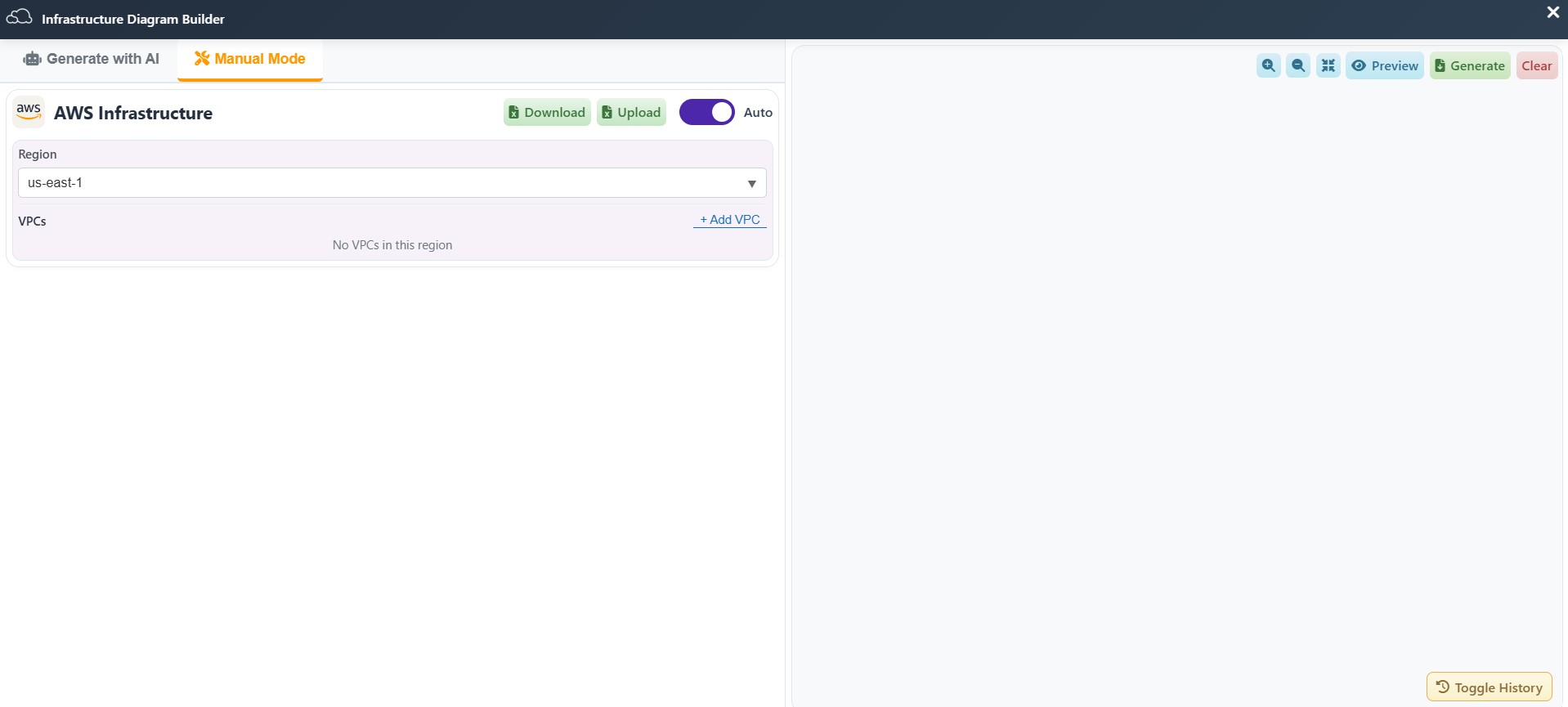
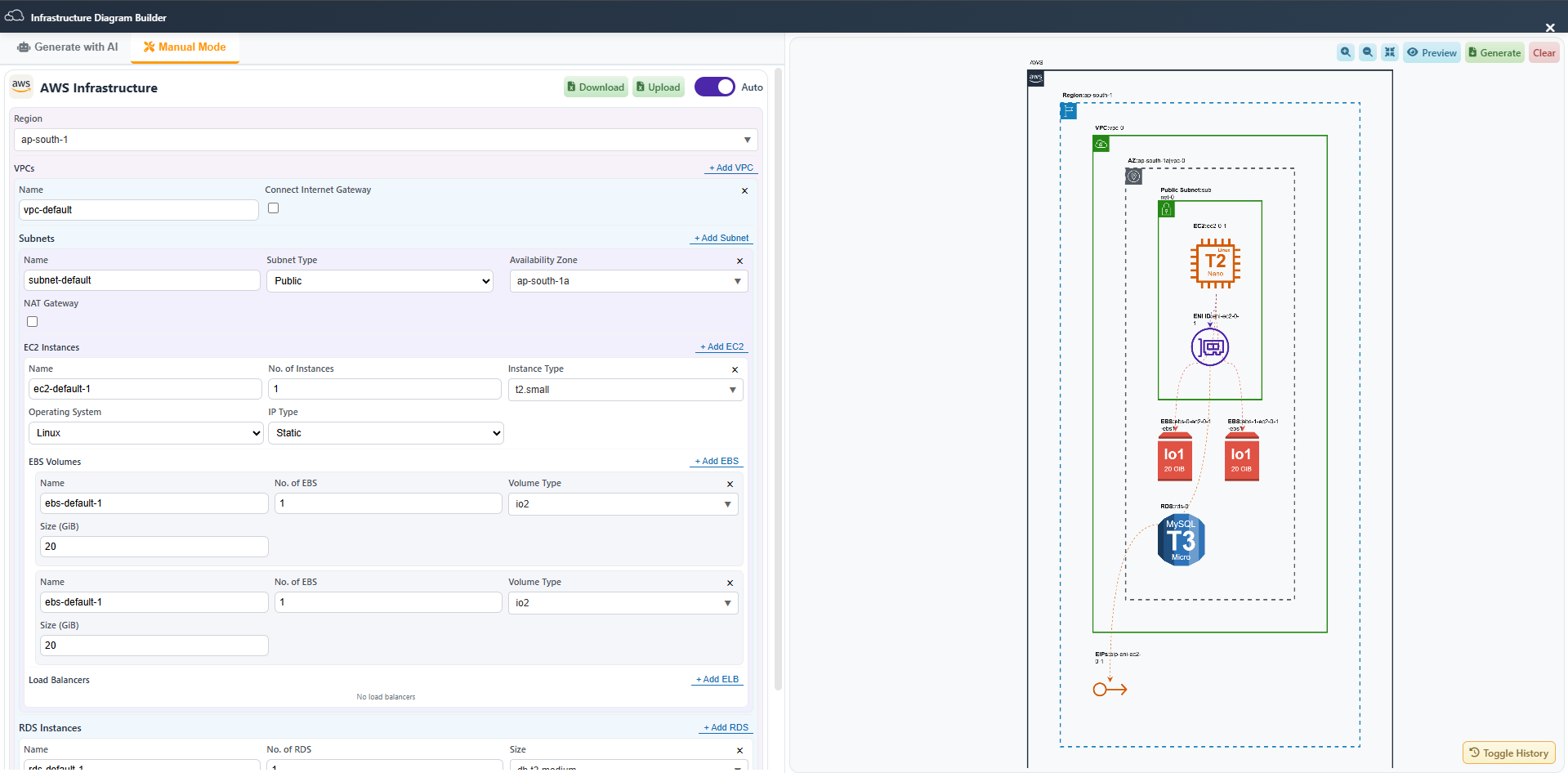
Prefer a step-by-step approach? Manual Mode is just for you.
Here’s how it works:
- Click the Toggle Auto button to preview your infrastructure in real time.
- Click the Region dropdown and choose your desired region.
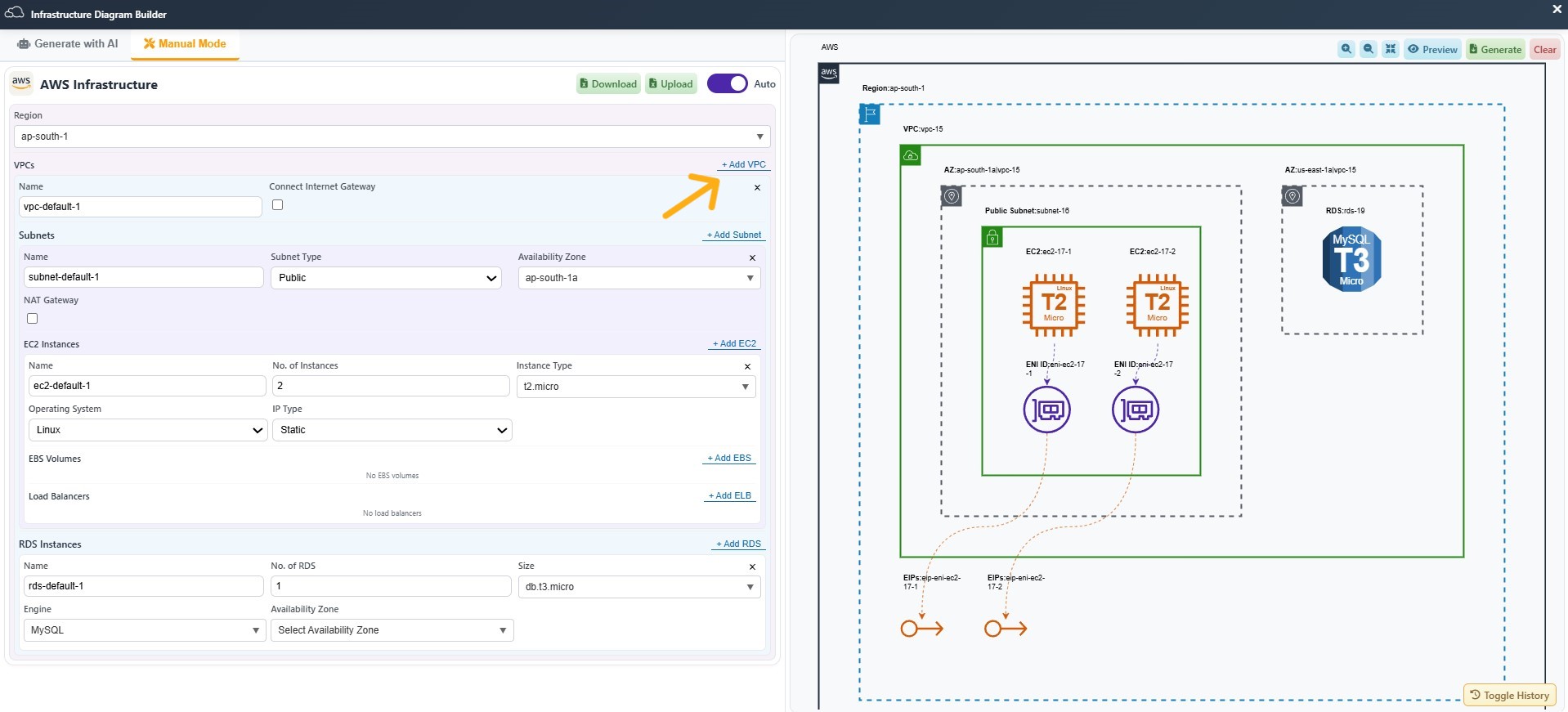
- Click in front of each service (like VPCs, Subnets, EC2, EBS, ELB, RDS, etc.) to include them in your diagram.
- Set parameters like instance type, OS, volume size, IP type, and more—exactly how you want.
- Download a pre-filled Excel template.
- Fill in the User Answer column with your architecture needs.
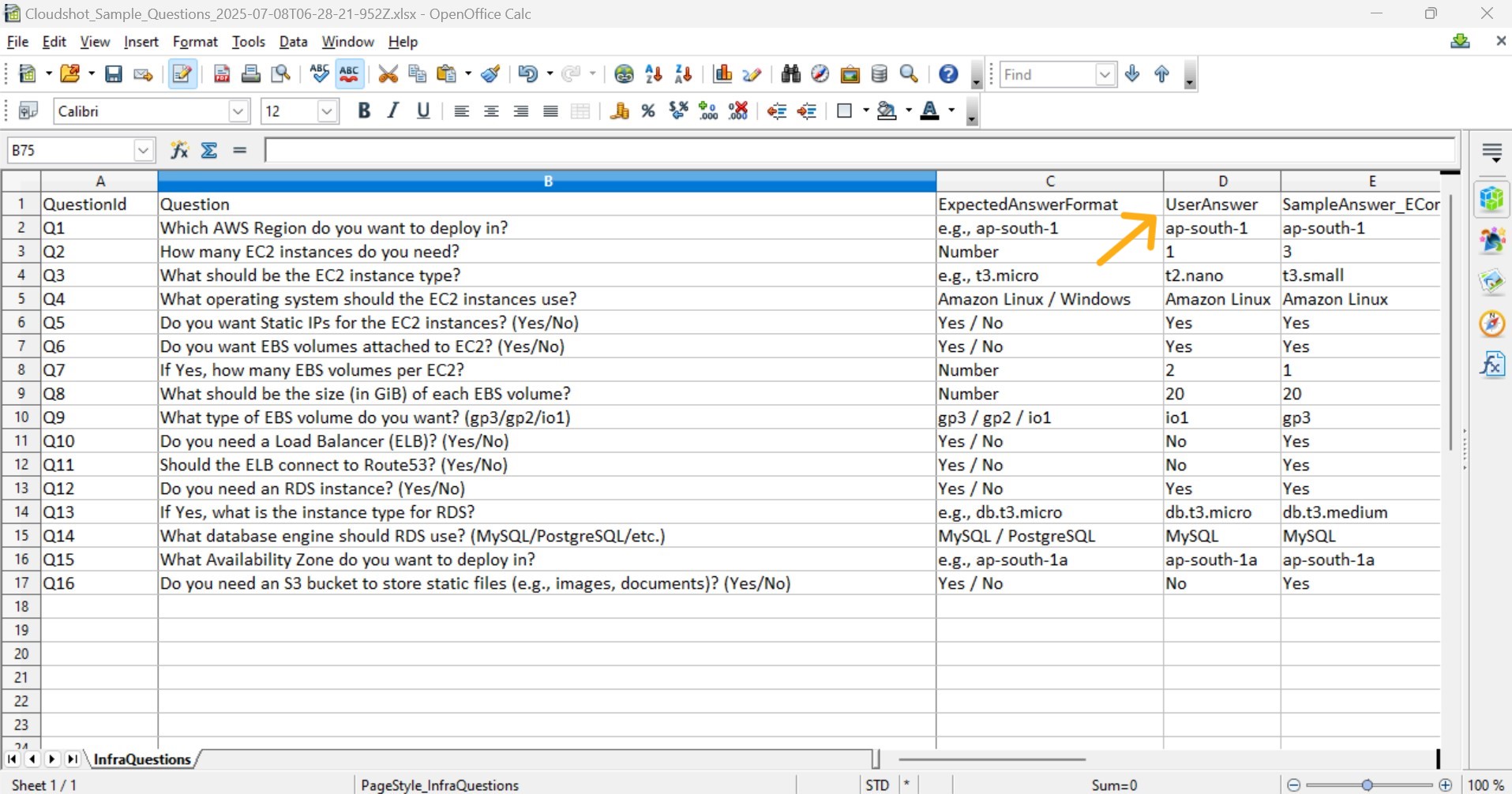
Upload it back to automatically generate your diagram.
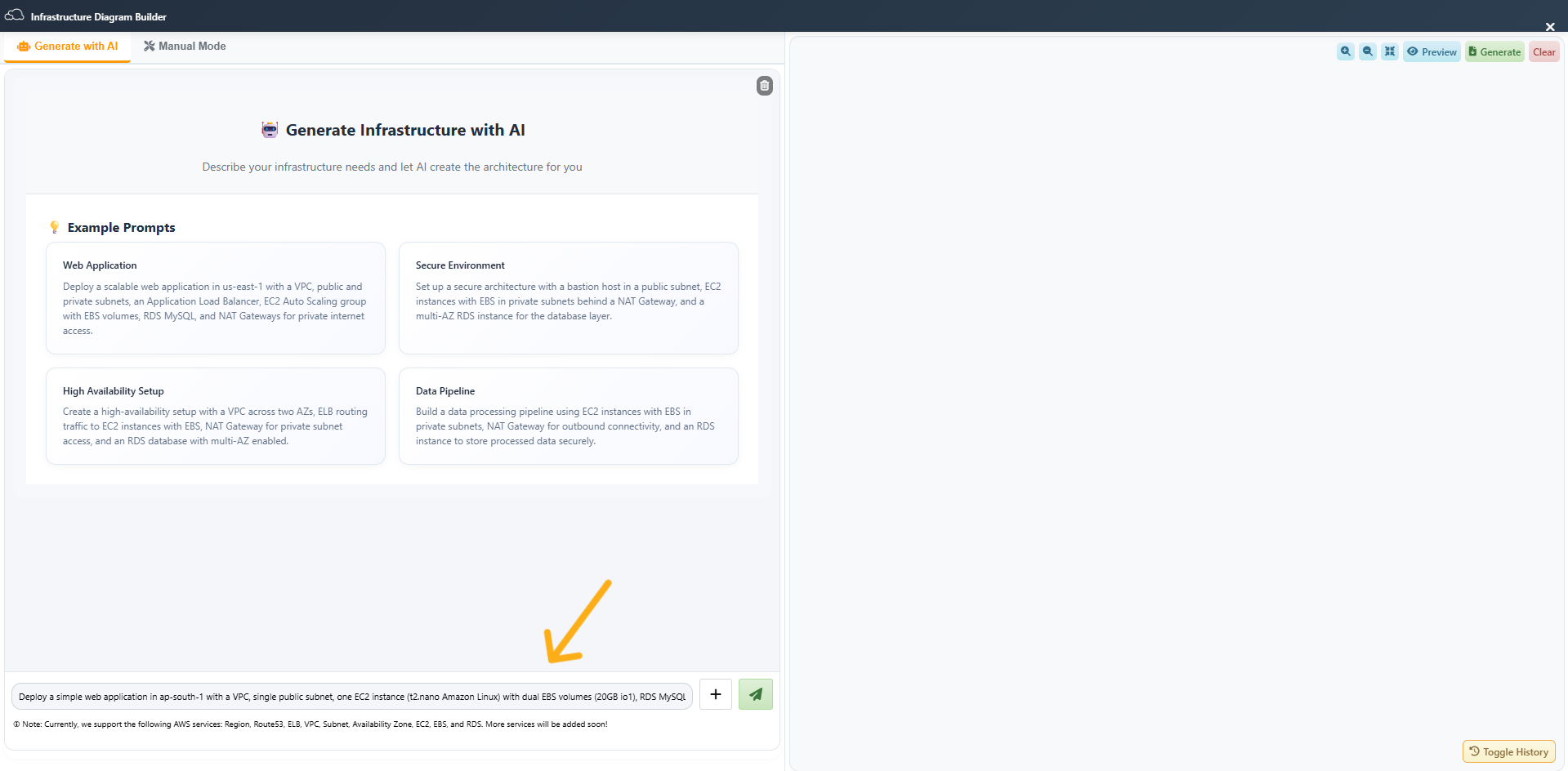
Not a fan of filling out forms? Let Cloudshot do the thinking!
Tell Cloudshot what kind of infrastructure you want. Try prompts like:
Create a web app with load balancer, EC2 auto-scaling, and RDS MySQL.
Build a secure VPC with private/public subnets, NAT Gateway, and Bastion Host.
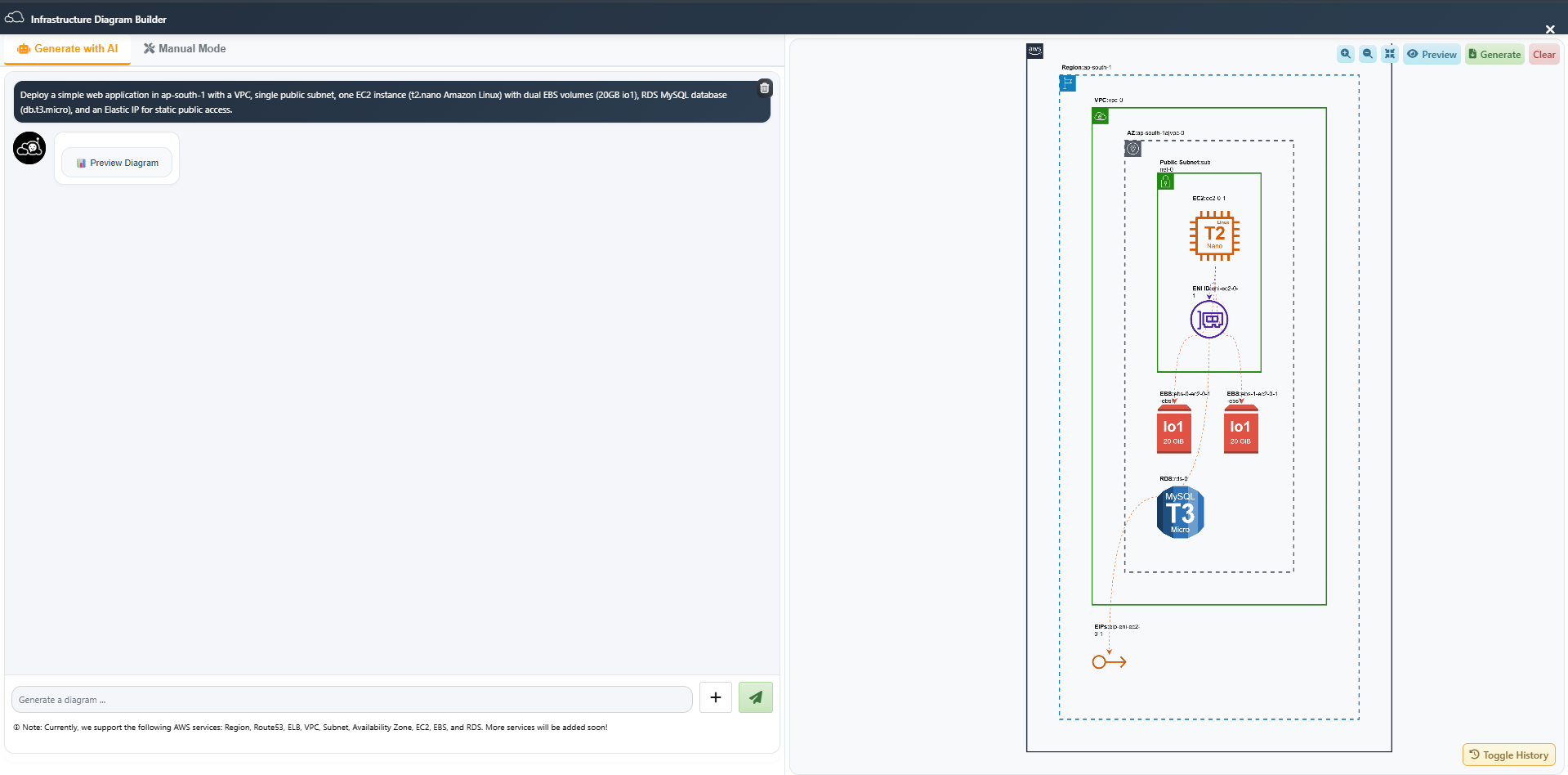
2. Preview Diagram
Then, click on Preview Diagram to instantly view your cloud setup.
3. AI Builds It for You
Our AI reads your prompt and generates a full architecture diagram instantly.
4. Access History Anytime
Click on Toggle History to view, reuse, or edit previously generated diagrams — no need to start from scratch every time.
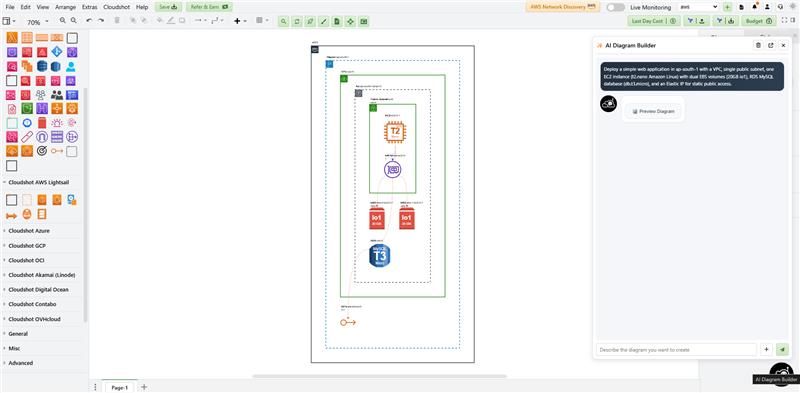
- Once your prompt is ready, click Generate — your infrastructure diagram will instantly appear on the Cloudshot home screen.
- As shown in the image, an AI bot is available on the right side. You can directly interact with it to ask questions or describe the infrastructure you want to build — making the process even faster and smarter.
📊 Bonus Features
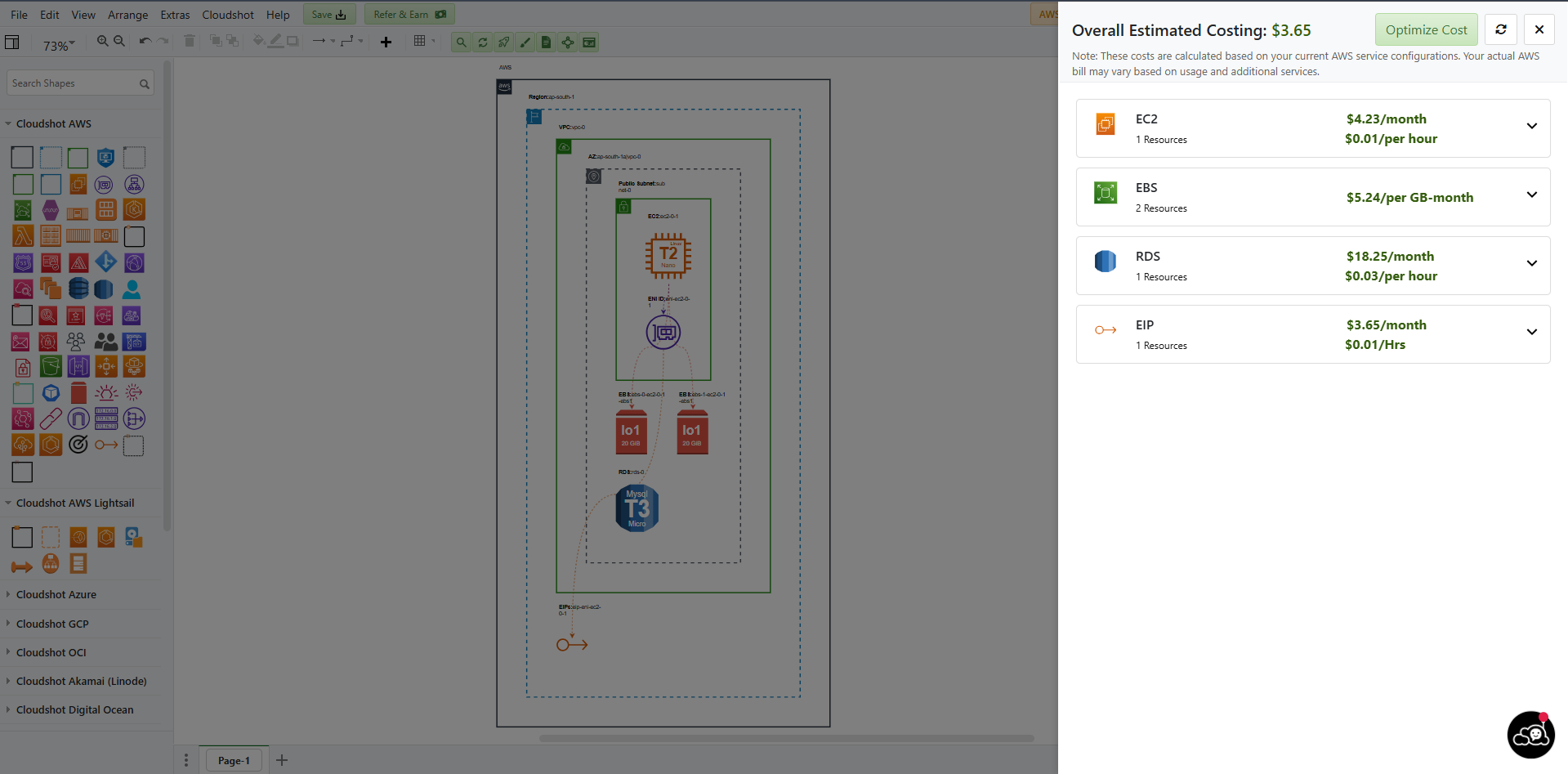
- Click 'Show Budget' on the right side of the Action Toolbar to view real-time cloud cost estimates — broken down by services like EC2, RDS and more.
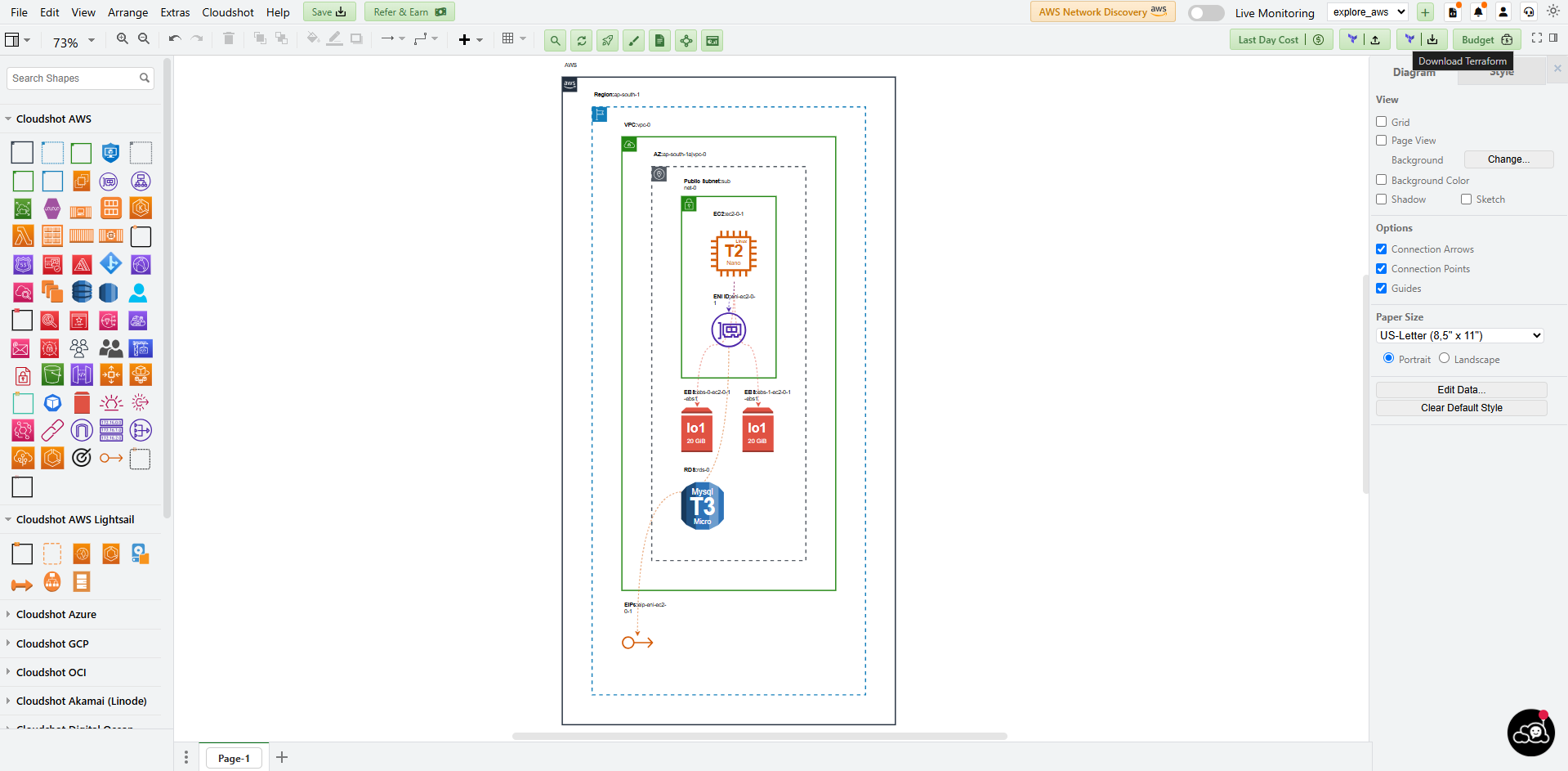
- Done designing? With just one click, download the Terraform script for everything you’ve created.
Use Manual Mode for full customization or switch to AI Mode to generate entire cloud setups instantly with a single prompt.
Take Control Today:
Whether you’re a DevOps pro or just starting out, Cloudshot’s Infrastructure Diagram Builder gives you the power to design, visualize, and plan your cloud environment with confidence.
✨ Go ahead — try it out and simplify your cloud architecture like never before!
. . .
Join Our Cloud Revolution! 🌐
Follow us for the latest in cloud visualization:
- 💼 LinkedIn: Cloudshot
- 📺 YouTube: @cloudshot-io
- 🚀 Website: cloudshot.io